
Themes
CREATE YOUR “WATER - EVERY DROP MATTERS” SCRATCH PROJECT
Create Your Scratch Story + Game Project: Design a game, animation, or simulation where your superhero solves a real-world problem.
Age-Based Categories: From simple animations (Beginners) to advanced multi-level games and simulations (Senior Levels).
Judging Criteria: Creativity • Coding Skills • Game Design • Social Message • Presentation
DETAILED BREAKDOWN OF WATER - EVERY DROP MATTERS" SCRATCH COMPETITION
1. Rescue Quest: Save the Baby Animal!
Story Goal: Your hero must overcome obstacles to rescue a trapped baby animal.
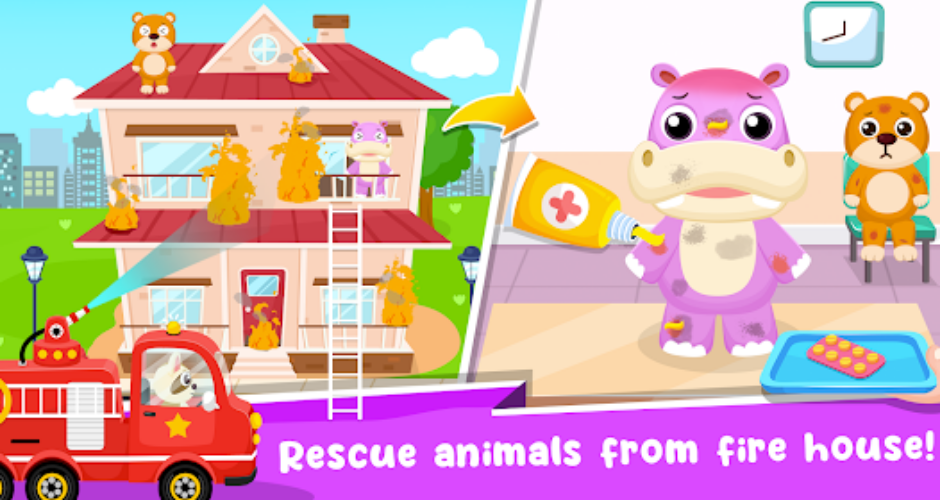
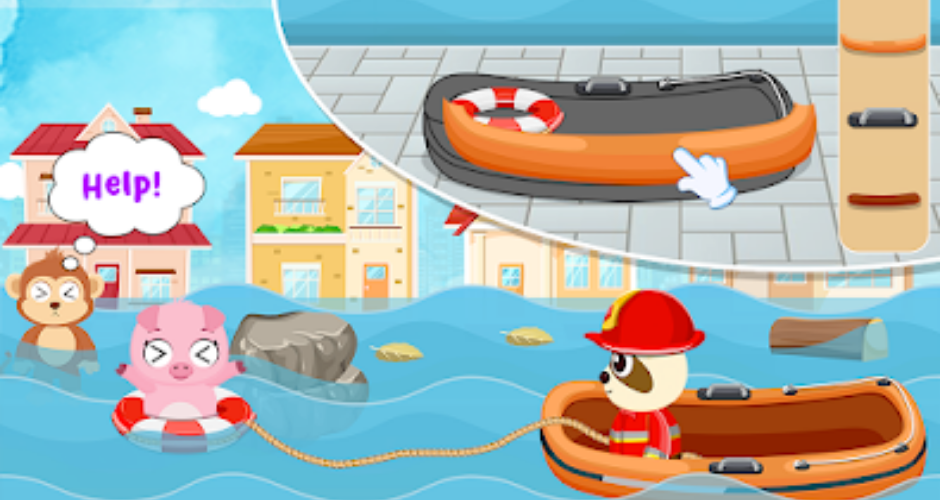
What Kids Can Create in Scratch
| Element | How to Implement | Example Code Blocks |
|---|---|---|
|
Characters |
– Hero sprite (e.g., knight, explorer)
– Baby animal (e.g., kitten, dragon) |
when green flag clicked
show |
|
Obstacles |
– Moving rocks/lava pits
– Falling trees (use glide or move) |
forever: move [10] steps, if on edge bounce |
|
Hero Movement |
– Arrow keys to move left/right
– Spacebar to jump (gravity effect) |
when [left arrow] pressed: change x by [-10]
when [space] pressed: change y by [20], repeat until y=0 |
|
Story Animation |
– Baby animal cries (tear animation + sound)
– Happy dance after rescue |
when rescue: play sound [meow], switch costume to [happy], glide to hero |
|
Game End |
– Fireworks + “You saved me!” message |
broadcast [rescue], show message for 2 sec |
2. The Lonely Seed: Grow Friendship!
Story Goal: Help a lonely seed grow into a flower and make friends.
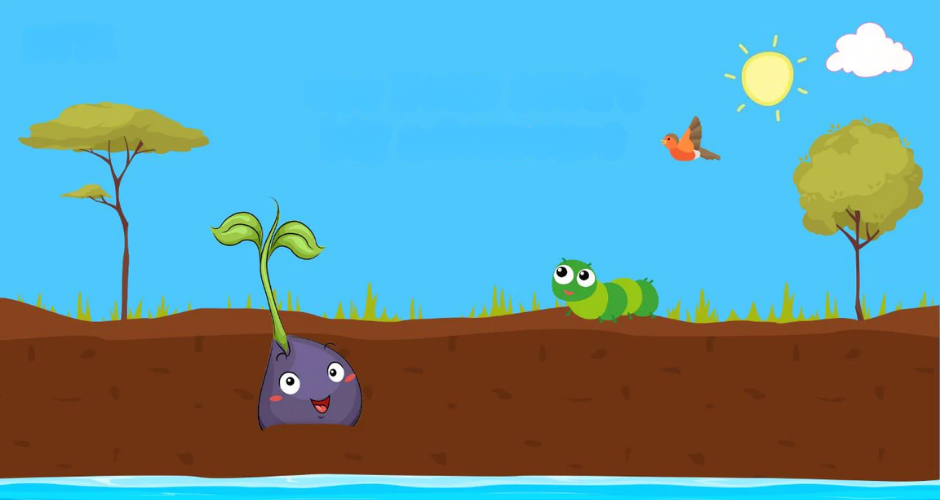
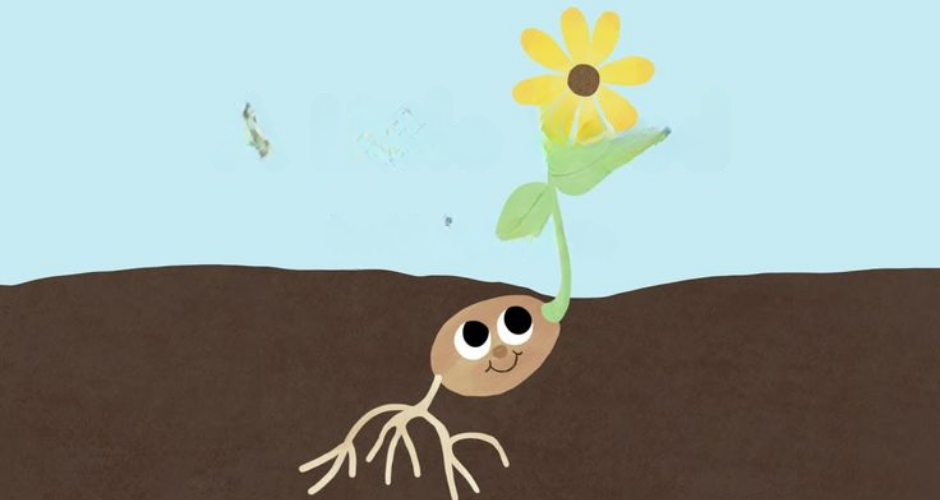
What Kids Can Create in Scratch
| Element | How to Implement | Example Code Blocks |
|---|---|---|
|
Main Character |
– Seed sprite with costumes:
seed → sprout → flower (sad → happy) |
switch costume to [sad seed] |
|
Mini-Game |
– Click clouds to rain water
– Drag sun over seed (use mouse down? detection) |
When this sprite clicked: change [water] by 1 |
|
Growth System |
– Seed grows bigger when water=5
– New flowers appear when clicked |
if [water] = [5]: change size by 20, broadcast [grow] |
|
Story Animation |
– Seed droops when lonely
– Smiles/stretches when watered – Friends pop up from ground |
When I receive [grow]: create clone of [friend flower] |
|
Game End |
– Garden full of flowers + “Friends forever!” message |
if [number of friends] > 3: play sound [yay], switch backdrop to [garden] |
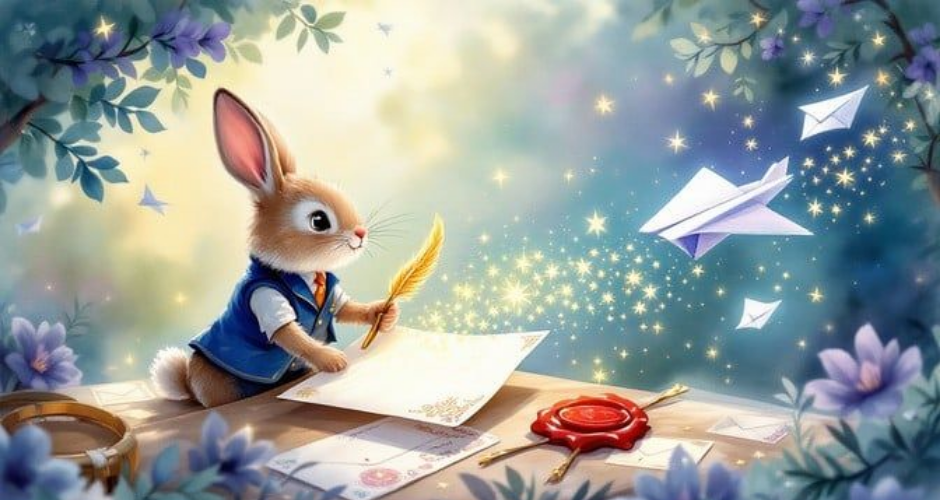
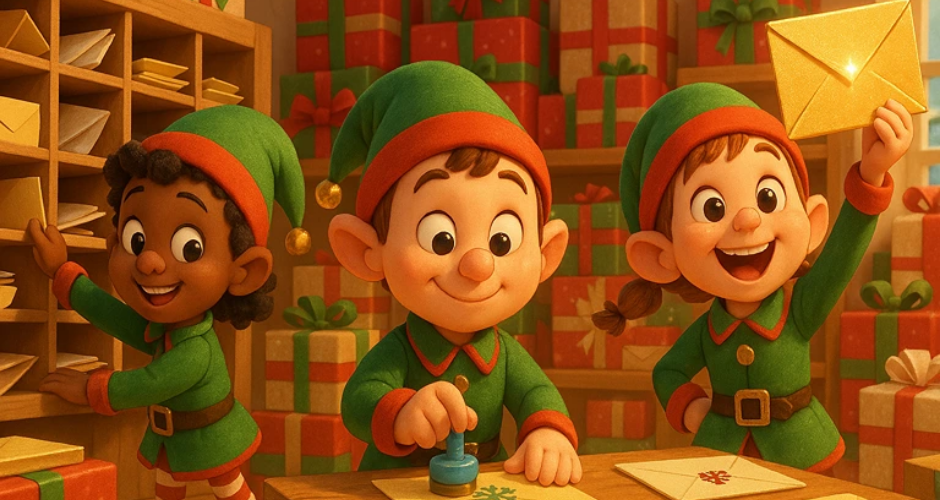
3. Mystery Letter: Discover the Secret!
Story Goal: Open a magical letter to reveal a hidden map or message.
What Kids Can Create in Scratch
| Element | How to Implement | Example Code Blocks |
|---|---|---|
|
Letter |
– Envelope sprite w/ costumes: closed → open → letter unfolding |
when green flag clicked: switch costume to [closed] |
|
Interaction |
– Click envelope to open
– Click torn pieces to repair (drag & drop) |
when this sprite clicked: glide to center, switch costume to [open] |
|
Reveal |
– Map slides out slowly
– Treasure location glows (use ghost effect) |
wait 1 sec, create clone of [map], glide from envelope to position |
|
Story Animation |
– Envelope shakes/vibrates
– Magic sparkles appear on click – Map draws itself |
forever: turn [5] degrees left, wait, turn right (wiggle effect) |
|
Game End |
– “X marks the spot!” animation
– Treasure chest opens |
when map fully revealed: show [treasure chest], play sound [ta-da] |
🦸♂️ WATER - EVERY DROP MATTERS
Create a Scratch Game, Story, or Animation where your superhero solves a real-world problem!
Focus
Simple animations and storytelling
Coding Skills
Motion blocks, Sounds, Speech bubbles, Scene changes
💡 Project Ideas:
- Turn Off the Tap animation
- Watering Plants Story
- A Day Without Water
- Save Water at Home animation
- Water Drop Adventure
🎯 Learning Goal:
- Understand basic water-saving habits.
Focus
Simple interactive games and quizzes
Coding Skills
Variables, Loops, Basic scoring systems, Simple conditions
💡 Project Ideas:
- Water-Saving Challenge Game
- Fix the Leaking Pipes Game
- Water Conservation Quiz
- Catch the Raindrops Game
- Clean River Adventure
🎯 Learning Goal:
- Understand how daily actions affect water usage.
Focus
Interactive learning experiences
Coding Skills
Variables, Broadcast messages, Multiple scenes, Interactive buttons
💡 Project Ideas:
- Water Cycle Interactive Model
- River Cleanup Mission
- Water Pollution Awareness Game
- Water Conservation Challenge
- Interactive Water Journey
🎯 Learning Goal:
- Explore scientific concepts related to water.
Focus
Educational simulations and strategy games
Coding Skills
Advanced variables, Lists, Clones, Multi-level systems
💡 Project Ideas:
- Rainwater Harvesting Simulator
- Water Management City Game
- Drought Survival Challenge
- Save the Lake Strategy Game
- Community Water Planner
🎯 Learning Goal:
- Understand sustainable water management.
Focus
Advanced simulations and social-impact projects
Coding Skills
Complex logic systems, Advanced simulations, Decision-making models, Multiple outcomes and scenarios
💡 Project Ideas:
- Global Water Crisis Simulation
- Smart Water Distribution System
- Sustainable City Water Manager
- Water Footprint Calculator
- Climate Change & Water Resources Simulator
🎯 Learning Goal:
- Analyze global water challenges and propose solutions.
🌟 General Rules for All Categories
- Project must be made in Scratch
- Must clearly show a Superhero solving a real problem
- Can be Game / Animation / Story
- Must include student's name in project
- Maximum duration (if animation): 3–5 minutes
🏆 Awards & Prizes
🥇 Trophy for Winner in Each Category
📜 Participation Certificate for Everyone
🏅 Special Awards
In addition to the Trophy, projects will be considered in each category for Gold Medals as:
💧 Best Water Conservation Project Award
🌍 Best Environmental Awareness Award
🎮 Best Game Design Award
💻 Best Coding Logic Award
🎨 Most Creative Project Award
⭐ Jury Special Mention Award
🏆 Judging Rubrics
🟢 Category A (5–8 Years)
| Criteria | Marks |
|---|---|
| Creativity & Imagination | 30 |
| Theme Understanding | 25 |
| Animation & Storytelling | 20 |
| Presentation | 15 |
| Sound & Visual Appeal | 10 |
🟡 Category B (9–10 Years)
| Criteria | Marks |
|---|---|
| Creativity | 25 |
| Coding Logic | 25 |
| Interactivity | 20 |
| Theme Relevance | 20 |
| Presentation | 10 |
🔵 Category C (11–12 Years)
| Criteria | Marks |
|---|---|
| Innovation | 20 |
| Coding Complexity | 30 |
| User Experience | 20 |
| Educational Value | 15 |
| Design & Presentation | 15 |
🟣 Category D (13–14 Years)
| Criteria | Marks |
|---|---|
| Originality | 20 |
| Advanced Coding | 30 |
| Gameplay/Simulation Design | 20 |
| Problem Solving | 15 |
| Presentation | 15 |
🔴 Category E (15–18 Years)
| Criteria | Marks |
|---|---|
| Innovation & Impact | 25 |
| Advanced Programming | 30 |
| User Experience | 15 |
| Real-World Relevance | 15 |
| Creativity & Presentation | 15 |
🦸♂️ SUPERHEROES FOR GOOD
Create a Scratch Game, Story, or Animation where your superhero solves a real-world problem!
Project Level
Simple Animation or Basic Game
Coding Expectation
Basic motion, sound, simple events
💡 Project Ideas:
- Superhero cleaning the park
- Kindness Hero helping friends
- Tree-Planting Hero
- "Stop the Litter" click game
| Grading Criteria | Marks |
|---|---|
| Creativity & Idea | 30 |
| Simple Animation / Movement | 20 |
| Theme Understanding | 20 |
| Effort & Presentation | 20 |
| Sound / Background Use | 10 |
🎯 Tips for Students:
- Use bright characters
- Add at least 2 scenes
- Add sound effects
- Keep story clear and simple
Project Level
Simple Interactive Game or Story
Coding Expectation
Events, loops, simple scoring
💡 Project Ideas:
- Pollution Monster battle game
- Recycling sorting game
- Superhero saving animals
- Anti-bullying animation
| Grading Criteria | Marks |
|---|---|
| Creativity | 25 |
| Coding Logic (Loops, Events) | 25 |
| Gameplay / Interactivity | 20 |
| Message Clarity | 20 |
| Design & Sound | 10 |
🎯 Tips for Students:
- Add a score variable
- Add win/lose condition
- Use broadcast to change scenes
Project Level
Multi-level Game / Interactive Story
Coding Expectation
Variables, conditions, multiple sprites
💡 Project Ideas:
- City pollution fighting game with levels
- Superhero rescue mission
- Save the Earth adventure
- Choice-based interactive story
| Grading Criteria | Marks |
|---|---|
| Innovation | 20 |
| Coding Complexity | 30 |
| Game Design / Flow | 20 |
| Social Message | 15 |
| UI & Sound Effects | 15 |
🎯 Tips for Students:
- Use variables for health
- Add levels with increasing difficulty
- Use clones for enemies
Project Level
Advanced Game / Simulation
Coding Expectation
Clones, lists, advanced logic
💡 Project Ideas:
- Open-world superhero mission
- Strategy-based city rescue simulator
- Multi-level boss battle game
- Decision-based environmental impact game
| Grading Criteria | Marks |
|---|---|
| Original Concept | 20 |
| Advanced Coding (Clones, Lists) | 30 |
| Gameplay Mechanics | 20 |
| Problem-Solving Logic | 15 |
| Design & Experience | 15 |
🎯 Tips for Students:
- Use lists for inventory
- Add power-ups
- Add restart option
- Balance difficulty
Project Level
Complex Game / Simulation / Social Impact Model
Coding Expectation
Advanced logic systems, multi-screens, optimization
💡 Project Ideas:
- Climate crisis simulation game
- AI-inspired superhero assistant
- Strategy-based pollution management
- Interactive story with multiple endings
| Grading Criteria | Marks |
|---|---|
| Innovation & Depth | 25 |
| Advanced Programming | 30 |
| User Experience & Flow | 15 |
| Real-World Relevance | 15 |
| Creativity & Presentation | 15 |
🎯 Tips for Students:
- Use multiple variables & states
- Add menu system
- Include instructions screen
- Add realistic consequences
🌟 General Rules for All Categories
- Project must be made in Scratch
- Must clearly show a Superhero solving a real problem
- Can be Game / Animation / Story
- Must include student's name in project
- Maximum duration (if animation): 3–5 minutes
🏅 Special Awards
🎨 Best Game Design
💬 Best Social Message
⚙️ Best Coding Logic
✨ Most Creative Superhero
🎖️ Jury Special Mention
📸 Image Placeholder
Add header image here
Planet Protectors!
10 Super Scratch Project Ideas: Pollution Theme
Students can create Scratch projects showing the causes & impact of pollution, also ways to protect our planet through games, animations, stories, or quizzes.
Clean the Ocean Game
📸 Image Placeholder
project1.jpg
Concept: Fish are swimming in the ocean, but there is trash everywhere.
Goal: Player controls a character (diver/boat/robot) to collect trash while avoiding sea creatures.
Features Students Can Add:
- Score increases when trash is collected
- Timer or levels
- "Before and After" ocean scene
Air Pollution Awareness Animation
📸 Image Placeholder
project2.jpg
Concept: A city is covered with smoke. Characters explain causes (factories, vehicles) and solutions.
Goal: Show the impact and solutions clearly through animated scenes.
Features:
- Speech bubbles
- Timed scene transitions
- "If pollution continues…" vs "If we change…" endings
Forest Rescue Game
📸 Image Placeholder
project3.jpg
Concept: Trees appear on screen; pollution sources like burning fires or trash randomly appear.
Goal: Player clicks to stop fires/pick up trash before the forest gets destroyed.
Features:
- Health bar for the forest
- Difficulty increases over time
Recycle Right Quiz
📸 Image Placeholder
project4.jpg
Concept: Educational project where students make a quiz about recycling.
Goal: Test user knowledge on correct waste sorting and facts.
Features:
- "Which bin does this item go into?"
- Correct/incorrect animations
- Scoreboard
Pollution-Free City Simulator
📸 Image Placeholder
project5.jpg
Concept: Build a cleaner city using choices.
Goal: Student presents options like solar energy, planting trees, etc., to improve the city.
Features:
- Drag-and-drop items (tree, windmill, trash bin)
- City changes as player chooses better options
- Ending message showing improved environment
The Journey of a Plastic Bottle
📸 Image Placeholder
project6.jpg
Concept: A plastic bottle travels from home → street → river → sea.
Goal: Show how small actions lead to big pollution, and highlight the importance of recycling.
Features:
- Different backgrounds
- Character emotions
- Positive ending (recycling)
Save the Sky – Air Purifier Drone Game
📸 Image Placeholder
project7.jpg
Concept: Player controls a drone that absorbs smoke clouds.
Goal: Collect smoke clouds before they cause smog, demonstrating air cleanup technology.
Features:
- Moving smoke sprites
- Power-ups (extra speed or bigger purifier)
- Score/time challenge
Beat the Pollution Monster
📸 Image Placeholder
project8.jpg
Concept: Pollution becomes a "monster" sprite.
Goal: Player throws "green energy bolts" (trees, solar panels) to weaken it.
Features:
- Health meter for the monster
- Animated attacks and sound effects
Zero-Waste School Animation
📸 Image Placeholder
project9.jpg
Concept: A story inside a school showing smart ways to reduce pollution.
Goal: Educate students on waste segregation, composting, and zero-waste habits.
Features:
- Students educating others
- Waste segregation bins
- Tips at the end
River Cleanup Mission
📸 Image Placeholder
project10.jpg
Concept: A boat moves along a polluted river.
Goal: Player collects plastic while avoiding obstacles (rocks, fish), leading to a clean river scene.
Features:
- Moving river background
- Sound effects
- Clean river scene once all trash is removed
Key Scratch Skills Kids Will Learn
- Animation: switch costume, glide, show/hide, size change
- Game Logic: if-then, broadcast/receive, cloning, variables (e.g., water counter)
- Storytelling: Timed dialogue (say for 2 secs), scene changes (switch backdrop)
- Interaction: when sprite clicked, key press, mouse position
Pro Tips for Young Creators
- Start with 1-2 sprites – add more later!
- Use sounds to tell the story (e.g., sad trombone for loneliness, magic chime for letter).
- Keep it simple:
- Rescue Quest → Focus on jump mechanics first
- Lonely Seed → Make water-click work before adding friends
- Mystery Letter → Perfect the envelope opening first
By participating in this Scratch Olympiad, students can learn programming, enhance their storytelling skills, and celebrate the spirit of sports in a fun and interactive way. 🚀⚽🏀🏅
📸 Image Placeholder
Add header image here
Planet Protectors!
10 Super Scratch Project Ideas: Pollution Theme
Students can create Scratch projects showing the causes & impact of pollution, also ways to protect our planet through games, animations, stories, or quizzes.
Theme: Pollution
Students can create Scratch projects showing the causes & impact of pollution, also ways to protect our planet through games, animations, stories, or quizzes.
Suggestive Ideas:
📸 Image Placeholder
project1.jpg
1. Clean the Ocean Game
Concept: Fish are swimming in the ocean, but there is trash everywhere.
Goal: Player controls a character (diver/boat/robot) to collect trash while avoiding sea creatures.
Features students can add:
- Score increases when trash is collected
- Timer or levels
- "Before and After" ocean scene
📸 Image Placeholder
project2.jpg
2. Air Pollution Awareness Animation
Concept: A city is covered with smoke. Characters explain causes (factories, vehicles) and solutions.
Features:
- Speech bubbles
- Timed scene transitions
- "If pollution continues…" vs "If we change…" endings
📸 Image Placeholder
project3.jpg
3. Forest Rescue Game
Concept: Trees appear on screen; pollution sources like burning fires or trash randomly appear.
Goal: Player clicks to stop fires/pick up trash before the forest gets destroyed.
Features:
- Health bar for the forest
- Difficulty increases over time
📸 Image Placeholder
project4.jpg
4. Recycle Right Quiz
Concept: Educational project where students make a quiz about recycling.
Features:
- "Which bin does this item go into?"
- Correct/incorrect animations
- Scoreboard
📸 Image Placeholder
project5.jpg
5. Pollution-Free City Simulator
Concept: Build a cleaner city using choices.
Goal: Student presents options like solar energy, planting trees, etc.
Features:
- Drag-and-drop items (tree, windmill, trash bin)
- City changes as player chooses better options
- Ending message showing improved environment
📸 Image Placeholder
project6.jpg
6. The Journey of a Plastic Bottle (Story Animation)
Concept: A plastic bottle travels from home → street → river → sea.
Goal: Show how small actions lead to big pollution.
Features:
- Different backgrounds
- Character emotions
- Positive ending (recycling)
📸 Image Placeholder
project7.jpg
7. Save the Sky – Air Purifier Drone Game
Concept: Player controls a drone that absorbs smoke clouds.
Features:
- Moving smoke sprites
- Power-ups (extra speed or bigger purifier)
- Score/time challenge
📸 Image Placeholder
project8.jpg
8. Beat the Pollution Monster
Concept: Pollution becomes a "monster" sprite.
Goal: Player throws "green energy bolts" (trees, solar panels) to weaken it.
Features:
- Health meter for the monster
- Animated attacks and sound effects
📸 Image Placeholder
project9.jpg
9. Zero-Waste School Animation
Concept: A story inside a school showing smart ways to reduce pollution.
Features:
- Students educating others
- Waste segregation bins
- Tips at the end
📸 Image Placeholder
project10.jpg
10. River Cleanup Mission
Concept: A boat moves along a polluted river.
Goal: Player collects plastic while avoiding obstacles (rocks, fish).
Features:
- Moving river background
- Sound effects
- Clean river scene once all trash is removed
Clean the Ocean Game
📸 Image Placeholder
project1.jpg
Concept: Fish are swimming in the ocean, but there is trash everywhere.
Goal: Player controls a character (diver/boat/robot) to collect trash while avoiding sea creatures.
Features Students Can Add:
- Score increases when trash is collected
- Timer or levels
- "Before and After" ocean scene
Air Pollution Awareness Animation
📸 Image Placeholder
project2.jpg
Concept: A city is covered with smoke. Characters explain causes (factories, vehicles) and solutions.
Goal: Show the impact and solutions clearly through animated scenes.
Features:
- Speech bubbles
- Timed scene transitions
- "If pollution continues…" vs "If we change…" endings
Forest Rescue Game
📸 Image Placeholder
project3.jpg
Concept: Trees appear on screen; pollution sources like burning fires or trash randomly appear.
Goal: Player clicks to stop fires/pick up trash before the forest gets destroyed.
Features:
- Health bar for the forest
- Difficulty increases over time
Recycle Right Quiz
📸 Image Placeholder
project4.jpg
Concept: Educational project where students make a quiz about recycling.
Goal: Test user knowledge on correct waste sorting and facts.
Features:
- "Which bin does this item go into?"
- Correct/incorrect animations
- Scoreboard
Pollution-Free City Simulator
📸 Image Placeholder
project5.jpg
Concept: Build a cleaner city using choices.
Goal: Student presents options like solar energy, planting trees, etc., to improve the city.
Features:
- Drag-and-drop items (tree, windmill, trash bin)
- City changes as player chooses better options
- Ending message showing improved environment
The Journey of a Plastic Bottle
📸 Image Placeholder
project6.jpg
Concept: A plastic bottle travels from home → street → river → sea.
Goal: Show how small actions lead to big pollution, and highlight the importance of recycling.
Features:
- Different backgrounds
- Character emotions
- Positive ending (recycling)
Save the Sky – Air Purifier Drone Game
📸 Image Placeholder
project7.jpg
Concept: Player controls a drone that absorbs smoke clouds.
Goal: Collect smoke clouds before they cause smog, demonstrating air cleanup technology.
Features:
- Moving smoke sprites
- Power-ups (extra speed or bigger purifier)
- Score/time challenge
Beat the Pollution Monster
📸 Image Placeholder
project8.jpg
Concept: Pollution becomes a "monster" sprite.
Goal: Player throws "green energy bolts" (trees, solar panels) to weaken it.
Features:
- Health meter for the monster
- Animated attacks and sound effects
Zero-Waste School Animation
📸 Image Placeholder
project9.jpg
Concept: A story inside a school showing smart ways to reduce pollution.
Goal: Educate students on waste segregation, composting, and zero-waste habits.
Features:
- Students educating others
- Waste segregation bins
- Tips at the end
River Cleanup Mission
📸 Image Placeholder
project10.jpg
Concept: A boat moves along a polluted river.
Goal: Player collects plastic while avoiding obstacles (rocks, fish), leading to a clean river scene.
Features:
- Moving river background
- Sound effects
- Clean river scene once all trash is removed